






















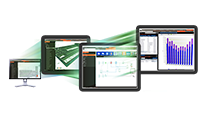










Self-Paced Courses
C.D.S. offers both free and fee-based eLearning courses that cover a wide range of energy modeling instruction for both TRACE™ 700 and TRACE™ 3D Plus.
Trane ComfortSite is an extranet site designed to save you time. With your secure login, you can:
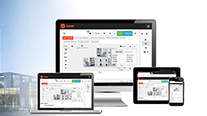
This is the login for Trane® Connect™ and other Trane® commercial applications. Trane® Connect™ is our secure, cloud-based customer portal to access your building systems to remotely monitor and manage building systems, and conduct routine maintenance.
Selecting a language changes the language and content on the Trane site.
Latin America
Europe
Asia Pacific

Discover which experts from Trane will be presenting and what topics they will cover at the upcoming ASHRAE Winter Conference and AHR Expo
Trane C.D.S.
Design, analysis and system selection are critical elements of high performance building design. Trane C.D.S. software helps you save time, improve accuracy and find cost savings in your computer-aided design work.
We provide hands-on, instructor-led training for TRACE® 3D Plus software several times per year at our La Crosse, WI training facility. We can also provide on-site training at your facility upon request.
C.D.S. offers both free and fee-based eLearning courses that cover a wide range of energy modeling instruction for both TRACE™ 700 and TRACE™ 3D Plus.
“Live” Virtual Training via Microsoft Teams. Sessions will consist of two 4-hour sessions per seminar topic.
In-person training sessions are held in La Crosse, Wisconsin and are typically held at Trane locations cross the country.
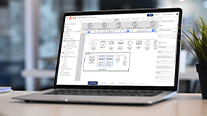
Looking for a convenient way to access detailed technical training information for Trane design and analysis tools? C.D.S. offers both free and fee-based self-paced eLearning courses that cover a wide range of load design and energy modeling instruction for both TRACE™ 700 and TRACE 3D Plus™.
Go to the C.D.S. eLearning Portal to see all current courses.
TRACE™ 3D Plus Courses
Our 100 level videos provide a basic overview of the program from starting a file through project calculation. We also have a number of shorter videos that focus on specific features and tasks to help you learn the newest feature sets quickly. These are free tutorial videos that will help a user get started using the program.
Our 200 level videos will give a deeper dive into program input, outputs, and methodology. These fee-based, self-paced videos provide the same framework as our full day, live training courses. Contact cdsadmin@trane.com for pricing and ordering information. Once a course is ordered and paid for, users will have access for 6 months at a time.
IMPORTANT NOTE: TRACE 700
We are focused on helping our customers transition effectively to TRACE 3D Plus and will not be offering standard live training options for TRACE 700 at this time. Please utilize the following virtual training options if TRACE 700 training is still required. If the material provided is not sufficient to meet your needs, please inquire about other possible TRACE 700 training opportunities at cdstraining@trane.com.
To access our free tutorial videos, please visit our C.D.S. Help website under the eLearning tab.
To purchase our full eLearning courses for TRACE 3D Plus including Load Design 201 and Energy & Economics 202, please contact us at cdstraining@trane.com or call 608-787-3936.
Virtual training sessions will consist of two 4-hour sessions per seminar topic.
Day 1: TRACE™ 3D Plus, Load Design (4 hours)
Day 2: TRACE™ 3D Plus, Load Design (4 hours)
Day 3: TRACE™ 3D Plus, Energy and Economics (4 hours)
Day 4: TRACE™ 3D Plus, Energy and Economics (4 hours)
$350 per person for Load Design seminar (8 hours total)
$650 per person for Load Design & Energy and Economics seminars (16 hours total)
Please see our Virtual Training Class Logistics for more information on training in the virtual environment.
To register for an upcoming virtual training class, please visit the Trane Education Center or email cdstraining@trane.com to inquire about training options for larger groups (10-20 people).
Upcoming sessions are posted in the public course catalog by searching "Design and Analysis Software" category.
Please Note: All training solutions are currently only offered virtually.
Traditionally, training is offered several times throughout the year at the Trane Technology Center located in La Crosse, Wisconsin.
Training Schedule and Fees
Note: Ending times may vary due to class size.
Special Offers for La Crosse Training
Multiple Day Discount
Attend more days and save:
1 Day = $350
2 Days = $650
Software and Training Discount
Purchase any TRACE™ 3D Plus software with training and receive the training tuition at half price. To do this, contact C.D.S. training at 608-787-3936 or e-mail us.
Continuing Education Credits
Our seminars may be applicable toward credentialing requirements for Professional Development Hours (PDH). Please verify applicability with your professional board before attending.
Note for Federal Government:
Training provided by Trane is listed on the GSA Federal Supply Schedule.
Registration Information
Review course descriptions to decide which course(s) best fit your software training needs.
Email cdstraining@trane.com to submit a registration inquiry. You will receive a confirmation from our training department within 7 days of registration.
Enrollment is accepted on a first come, first serve basis.
After your registration is received, you will receive a confirmation of your enrollment in the C.D.S. seminar. Your registration fee includes:
The cost of software, lodging and transportation is not included in the seminar fee. Hotel and local transportation arrangements are the responsibility of each student.
Confirmation & Reservations
Completion and submission of the Registration Form does not confirm your seat in the class. You will receive a communication that we have you registered to attend within seven (7) days after you register. If you don't receive receipt of your registration or confirmation for the class before the seminar, please call 608-787-3936.
Do not purchase airline tickets until you have received emailed confirmation from C.D.S. Training for a class. Trane is not responsible for any expenses incurred due to cancellation of a class prior to confirmation.
Payment Information
The following payment options are available:
Hotel and Transportation Arrangements
Upon receipt of your registration, it is recommended that you make hotel and transportation arrangements. Please view maps and recommended hotels near the airport and training facility.
Meal Information
All meals during seminar hours are provided compliments of C.D.S.
Lunch is served in the training center each day of the seminar. Complimentary beverages and snacks are also available throughout the day. Registered participants are invited to a complimentary dinner one of the evenings at a local downtown area restaurant.
Cancellation and Substitution Policy
Cancellations must be received five business days prior to class start date by fax, mail or email. NO SHOWs will be charged full class price. You may apply the fee to another class taken within one year of the original class. Trane reserves the right to cancel classes due to weather, illness or any other reason. All students will be notified as early as possible and our liability will be limited to the return of registration fees.
Can't make it to La Crosse? Check out our other training opportunities at various Trane sales offices nationwide, please visit the Trane Education Center or contact your local office for more information.
If you have any questions regarding training, please contact Trane C.D.S. at cdstraining@trane.com or 608-787-3936.
Our seminars may be applicable toward credentialing requirements for Professional Development Hours (PDH). Please verify applicability with your professional board before attending. If you have any questions regarding training, please contact Trane C.D.S. at cdstraining@trane.com or 608-787-3936.
Not sure which training solution is the best fit for your needs? Review the course descriptions for all C.D.S. training solutions based on your design and analysis tool of choice.
TRACE™ 3D Plus Load Design software is a separate program incorporating the load and system portion of the design process. In other words, it contains the functionality of TRACE 3D Plus minus the energy and economic portions of the program. Use this program to complete complex building load calculations for virtually any building.
Trane C.D.S. provides a full day of training on Load Design. This applies to the live training as well as the pre-recorded eLearning videos (Load Design 201). By the end of this course, you will be able to:
This class provides basic information critical for understanding subsequent C.D.S. TRACE™ 3D Plus Energy & Economics courses and advanced topics.
We request that you familiarize yourself with the software by completing the TRACE™ 3D Plus Load 101 tutorials prior to the class. You can also review the Getting Started Guide and the Condensed User Guide prior to attending class.
TRACE™ 3D Plus software is the benchmark complete load, system, energy and economic analysis program that compares the energy and economic impact of such building alternatives as architectural features, HVAC systems, building utilization or scheduling and economic options.
Trane C.D.S. provides a full day of training on Energy and Economics. This applies to the live training as well as the pre-recorded eLearning videos (Energy & Economics 202). By the end of this course, you will be able to:
The class is designed primarily for intermediate users.
Prerequisites: Participants are expected to have previously attended TRACE™ 3D Plus Load Design training, and if not, to be a proficient TRACE load user.
We request that you familiarize yourself with the software by completing the TRACE™ 3D Plus Energy & Economics 102 tutorials prior to this class. You can also review the Getting Started Guide and the Condensed User Guide prior to attending class.
TRACE™ 700 Load software is a separate program incorporating the load and system portion of TRACE 700. In other words, it contains the functionality of the full version of TRACE 700 minus the energy and economics portions of the program. Use this program to complete complex building load calculations for virtually any building.
Trane C.D.S. provides a full day of training on TRACE 700 Load Design through our pre-recorded eLearning courses. By the end of this course, you will be able to:
If you are currently using or transitioning to the TRACE™ 3D Plus software please visit the TRACE 3D Plus Load Design page or the TRACE 3D Plus Energy & Economics page for more training course information.
Visit the Trane C.D.S. Portal for more education opportunities and support for Trane design & analysis software